


|
Name |
True Liquid Glass |
|---|---|
|
Google Play Link |
GET IT ON
Google Play
|
|
Category |
Art & Design |
|
Developer |
Peace Among Us |
| Last version | 17.2 |
|
Updated |
|
|
Compatible with |
Android 12+ |
Introduction to True Liquid Glass APK
True Liquid Glass APK is a wallpaper customization app for Android. It focuses on glass-style visuals, motion-based depth, and live editing tools that let you shape the look of your home screen and lock screen. The main idea is simple: turn a basic wallpaper setup into something that feels layered, glossy, and interactive.
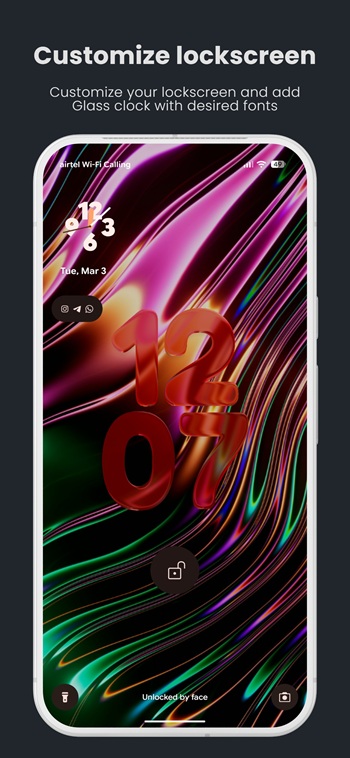
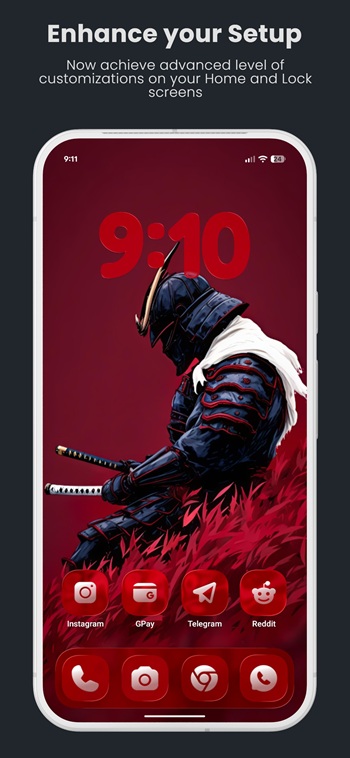
The app is used to build custom layouts with glass panels, icon-style shapes, and a clock widget that sits directly on your wallpaper. You can edit positions, resize elements, switch between home and lock screen setups, and preview changes in real time. That makes it useful for people who care about phone aesthetics and want more control than a standard wallpaper app usually gives.
One of its strongest points is the live editor. You can move shapes around, snap them to a grid, hide or show items on different screens, and switch between compact icon looks or wider panel designs. It also supports background images, rotating folders, and even video wallpapers, so the setup does not feel locked into one style. If you like changing your screen often, that flexibility is a big plus.
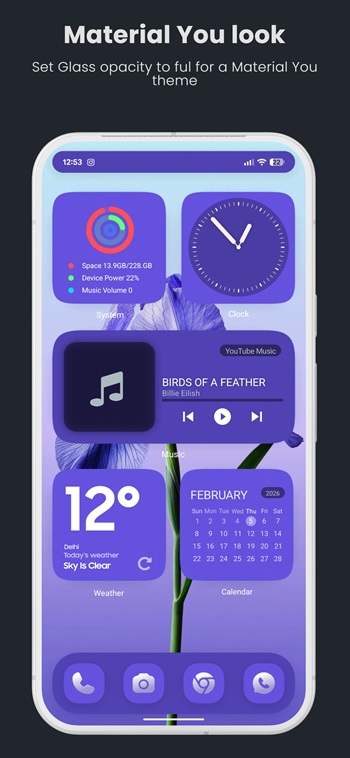
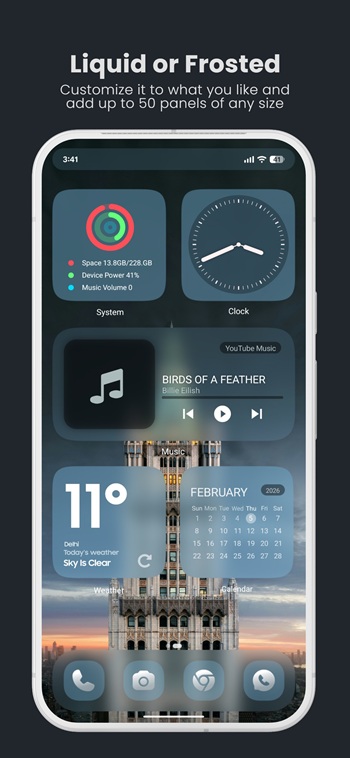
True Liquid Glass APK also leans hard into visual effects. It offers liquid, frosted, and Material 3-inspired themes, along with light, dark, auto, and custom tint options. The built-in clock adds more personality with font uploads, color control, and depth effects. On supported devices, parallax motion and depth-based layering can make the screen feel more alive, which is pretty fun for something you stare at fifty times a day.
The practical benefit is convenience mixed with style. You can adjust the layout without constantly jumping through separate menus, export presets as JSON, and import them again later. That is handy if you like testing different looks or sharing setups with friends. People who enjoy visual customization, themed home screens, or polished wallpaper setups will probably get the most value from it.
There are a few downsides to keep in mind. Advanced visual effects, live wallpapers, motion features, and video backgrounds may use more battery than a static wallpaper. Setup can also take a little patience, especially if you want a neat layout instead of random floating glass blobs. Standard Android widgets are not built into the app either, so the best results may depend on how well your existing widgets match the glass style.
FAQs True Liquid Glass
What is True Liquid Glass APK?
+
True Liquid Glass APK is an Android wallpaper customization app that adds glass-style panels, interactive layouts, and depth effects to the home and lock screen.
What is True Liquid Glass used for?
+
It is used to customize your phone screen with live wallpaper elements, editable shapes, glass effects, custom clocks, and background images or videos.
Does True Liquid Glass APK support both home screen and lock screen layouts?
+
Yes. The app lets you switch between home screen and lock screen editing, so you can create separate layouts for each one.
Can True Liquid Glass APK use videos and image folders as wallpapers?
+
Yes. It supports single images, rotating folders, and video backgrounds, which gives users more variety than a basic wallpaper app.
Does True Liquid Glass APK drain battery?
+
It can use more battery than a static wallpaper, especially when motion effects, live editing tools, parallax, or video wallpapers are active.
Discover More Interesting Apps
-
 Mod
Mod
AI Image Generator
v3.0.6
45.36 Mb
Updated -
Mod
Festival Poster Maker & Post
v6.0.6
69.39 Mb
Updated -
Mod
Castle
v292.0
118.86 Mb
Updated -
Freepik AI
v6.4.4
66.00 Mb
Updated -
Mod
Crafto
v11.7.5
206.00 Mb
Updated -
Mod
Pixelcut
v0.9.66
62.05 Mb
Updated -
Mod
FlipaClip
v5.0.1
169.35 Mb
Updated -
Mod
AR Drawing
v5.2.6
98.06 Mb
Updated -
Mod
ibis Paint X
v14.1.2
110.00 Mb
Updated -
Mod
Livensa
v6.0.2
144.34 Mb
Updated








Share Your Thoughts